This weekend I happened upon a video created by YouTuber “mrmusdtard2” and entitled “Doing the Amiga Rock by MrMoonlight and the Amiga Chip Rom Ram Band.” I’ll just go ahead and embed it right here, with its description.
Doing the Amiga Rock, a return to the world stage by mrmoonlight and the Amiga chip rom, ram, band, the music was by a unknown Author who I would dearly like to trace it was titled Piano Boogie 3 and performed on Octamed by the Amiga band, and myself mrmoonlight, the vocals and ukulele were performed my mrmoonlight and on piano was the delectable Paula certainly a chip off the old block, on sound inverter was Denise, always ready to blow her own trumpet, and the sweet Alice destined to travell through a wonderland playing a merry tune and last but not least Agnus on drums steady as a mountain goat and never missing a beat, when asked why the band were making a come back they replyed we do what we do because we can, we are Amiga.
I watch this video and I have to ask myself…”Is this me, in 15-20 years?” Surely not. Surely not…
Of course, no fan-made, Amiga-focused music video can be discussed without mention of the highly unique and possibly legendary performance that is “Only Amiga Makes It Possible,” based on the 1987 Comdex promo video.
And while I’m talking Amiga videos, YouTuber “yazzgo” put together a rather well-done tribute to the Amiga, entitled “Electric Dreams – I’m the Commodore Amiga.” It’s a series of game and app clips set to the the tune “Together in Electric Dreams,” from the 1984 film Electric Dreams (one of my all-time favorites).
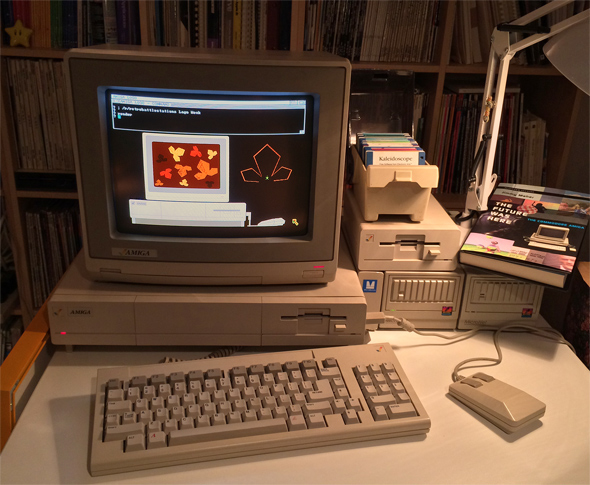
A few weeks ago I posted about the fun to be had over at Reddit’s /r/retrobattlestations. It was BASIC Week and I tackled it with an Atari ST and a few Apple IIs. After that came Spooky Week, and this weekend marked the end of Logo Week. For Logo Week, I grabbed Commodore’s Amiga Logo, installed it on my trusty Amiga 1000, and had a little bit of seasonal programming fun.
I’ll preface this by mentioning that my first experience with Logo was using TI LOGO II on my TI-99/4A back in 1983. The next time I encountered it was in an AP Computer Science class in my junior year of high school … a long time ago.
Logo Week involved getting Feurzeig and Papert’s Logo programming language running on vintage hardware and using a couple of provided procedures to render out a few autumn leaves via “turtle graphics.” Real hardware required — no emulators allowed. For this one, I decided to render the Amiga 1000 upon which I was programming my entry, and rending the leaves upon the rendered Amiga’s CRT. It’s like Amiga^2 or Inception or something. Anyway, I had lots of fun at every step.
Here you see a photo of the final product and a video of my Logo code doing its thing. (Here’s my entry post.) I chose to use the Amiga’s hi-res interlaced screenmode (640×400 pixels) at 16 colors. Unfortunately, both the photo and the video suffer from capturing an interlaced CRT display with a digital video camera. More or less every other scan line is missed (more evident in the video). I should post an actual screenshot. At any rate, rest assured — it looks nicer in person.
Of course, everything is a good bit nicer when you’re sitting in front of an Amiga 1000, isn’t it?
Visit a gallery of all my r/Retrobattlestations entry photos. A complete list, with links, of the fun I've had with challenges in that subreddit over the years can be seen below. Good times!
As I sat on the floor of our den, carving this year’s pumpkin into a jack-o-lantern with my daughter, I was reminded of a bit of caving I did nearly a decade ago as a bit of a Halloween goof for readers of iPodHacks.com, the most successful tech blog I’ve run independently. (Anybody remember it?)
I started iPodHacks shortly after the original iPod was announced (but before it was released), back in late 2001. There, I covered news related to the iPod and the portable digital music player scene at large, and also provided various product reviews along the way. I shuttered the site in late 2008 in order to entirely focus my efforts towards TouchArcade.com, which I started with Arnold Kim (of MacRumors.com) earlier in the year. (Our Editor-in-Chief Eli Hodapp posted a rather impressive TouchArcade logo jack-o-lantern, a few weeks back, that’s definitely worth a look.)
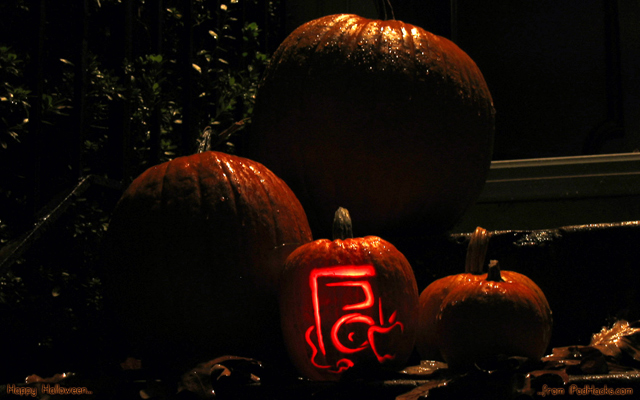
Well, on Halloween 2004, in the site’s heyday, I grabbed a knife and went to work on a pumpkin in an attempt to render in candle light the “Picasso” Macintosh logo-inspired iPodHacks.com logo. The iPod-o-Lantern! It turned out not half-bad, and I took a few photos of the situation on my front steps and posted it it to the site as desktop wallpaper for the season. In that post, a spake thus:
With All Hallows’ Eve just a few, short days a way, we here at iPodHacks let the spirit of the night take hold of us. All it took was a crisp autumn eve with leaves dancing magically on the wind, a patch of uncarved pumpkins, and—yes, perhaps a bit too much time on our hands as well…. The end result? Well, let’s just say we can’t think of a better desktop wallpaper image for this time of year.
Ahh, memories.
Now…is the iPod considered vintage computing hardware yet? Happy Halloween, everybody.
This past weekend my wife and I headed down to Charlottesville, VA for the night, to celebrate our 15th wedding anniversary. When we met, she was half-way through law school at the University of Virginia in Charlottesville and I soon moved up there (from Williamsburg) to make dating her a little less highway-intensive. (As it happens, four months later we were engaged.)
I’ve been a googly-eyed computer junkie since Christmas 1982, but it was just after arriving in C’ville in early ’97 that I became all about mobile computing (we called them “PDAs” back then). I got hold of a Palm Pilot Personal, and was hooked.
At the time, I was running Debian Linux as my desktop OS, and I started a PalmOS-on-Linux blog that was short-lived and of little utility to anyone. It was my very first blog, though.
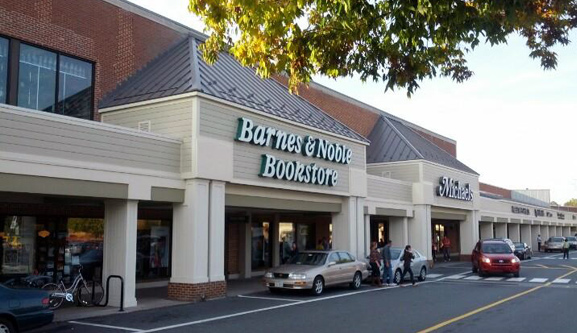
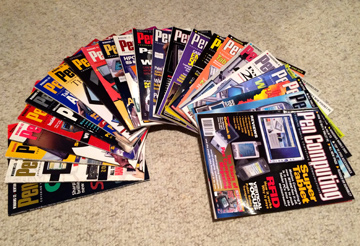
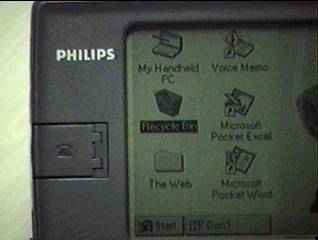
The PDA bug bit me hard, and I remember frequenting the local Barnes and Noble — the first one I ever encountered (some years before) — day after day, when it was getting near time for the bi-monthly Pen Computing magazine to arrive on the shelves. That was the one — the only — mobile computing magazine out there. That was my scene and, so, I was voracious for new issues. So unfamiliar were such devices to people back then, that I recall many instances of someone coming over to ask me, “Hey, what is that thing?” (especially in the case of the large MessagePad 2000). It was a happy period in my decades of geekery.
As I stood in that same Barnes & Nobel this weekend, having not done so for a number of years, it struck me just how much has changed in mobile computing over the past 15 years or so, and how ubiquitous mobile devices of all shapes and sizes have become. As I sipped my coffee, not one person came over to ask me about the iPhone 5s in my hand. The odd man out in that bookstore cafe, today, is the person not carrying a mobile device of some kind.
Standing there pondering the situation, I sent out a string of tweets that I wanted to share with those who may not follow me on twitter or who may have otherwise missed them. (For easy reading, the tweets below are temporally arranged top to bottom, and I’ve hyperlinked them a bit for added info.)
Blake Patterson @blakespot 13 Oct
I am standing in the first Barnes & Nobel I ever encountered. I think it was back in ’93 or so. (@ Barnes & Noble) http://4sq.com/1cgJAsE
Blake Patterson @blakespot 13 Oct
It’s interesting…
Blake Patterson @blakespot 13 Oct
I was in here in my early PDA (handheld computers, youngins) crazy days all the time (’97, ‘98) following the technology…
Blake Patterson @blakespot 13 Oct
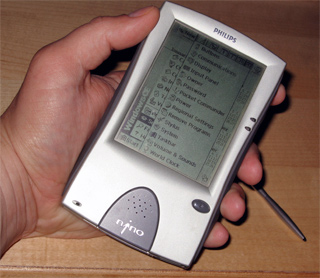
The Nino inspired my first second blog, back in ‘98. Here it is, derelict: http://blakespot.com/nino/ Frozen (basically) for 15 years.
Blake Patterson @blakespot 13 Oct
There was no easy internet on these devices. Some had jacks to dial out to a PPP account over the phone line. All of these had b&w screens.
Blake Patterson @blakespot 13 Oct
And, it’s interesting…
Blake Patterson @blakespot 13 Oct
Here I stand, my iPhone 5S in hand, tweeting this, cross checking in Safari, getting alerts, with a fast, wireless connection to the ‘net.
Blake Patterson @blakespot 13 Oct
Pen Computing was the one. Bi-monthly. Today, here, I see about 2/3 of the computer mags on the shelf are about mobile.
Blake Patterson @blakespot 13 Oct
A lot has happened in the last 15 years in mobile. (Most of it in the last 5-6.)
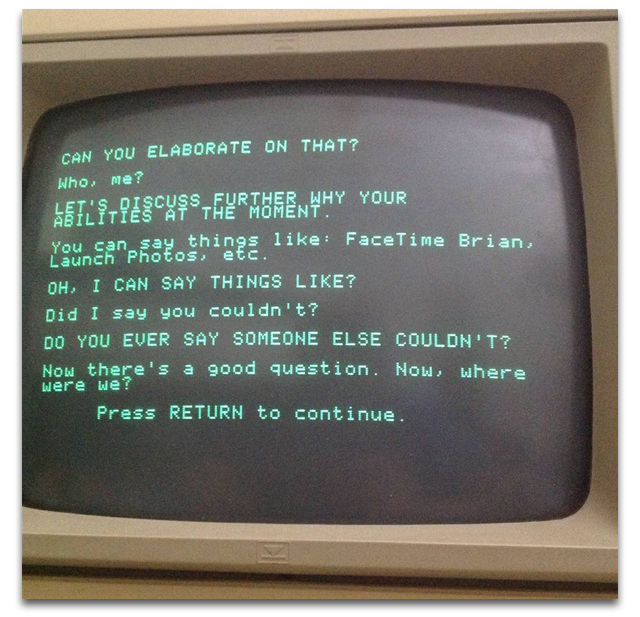
Eliza is an early computer program that served as an experiment in natural language processing. It was written at MIT by Joseph Weizenbaum in the mid-’60s and is best known as a simulation of a Rogerian psychotherapist. Siri, perhaps better known in today’s world, is a natural language personal digital assistant for iOS devices, released by Apple in 2011 as part of iOS 5.
As it happens, my first experience with Eliza was through her inclusion in Electronic Arts’ Software Golden Oldies: Volume 1 collection, which was one of the first commercial packages available for the Amiga 1000, both of which I purchased in October of 1985.
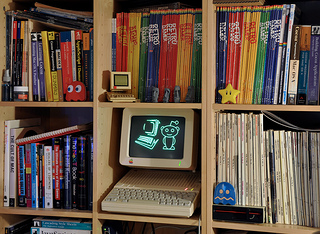
Last week was BASIC Week over at one of my haunts, /r/RetroBattlestations. Retro guy Chris Osborn (@FozzTexx) created a BASIC program that renders out the subreddit’s logo along with Snoo (Reddit’s mascot) to the computer screen. Chris provided ports to several 8-bit platforms and challenged folks to type in the program on real metal — no emulators — and take a photograph of the glowing, rendered image after a successful run of the program. The greater challenge was to port the program to a system not yet represented. The prizes were retro stickers for several winners, and three months of Reddit Gold for the two grand prize winners.
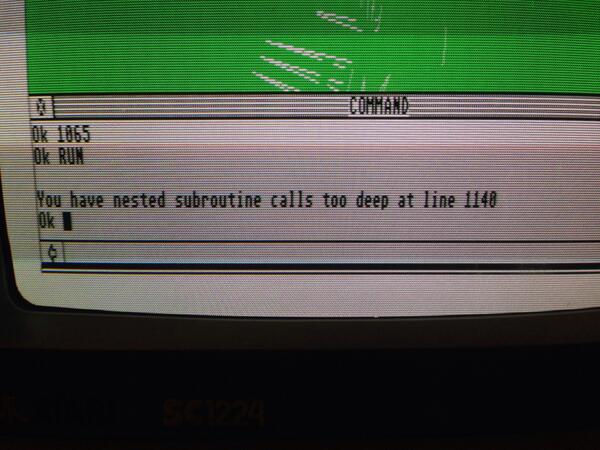
Intrigued, I fired up ST BASIC on my Atari 520ST and spent some time adapting the Commodore Plus/4 version to the ST. I spent a lot of time trying to figure out why ST BASIC’s ELLIPSE function was behaving differently than I expected, and I finally switched over to the dot-plot approach of the Commodore 64 version. I think I would’ve had it, too, but ST BASIC, it turns out, is rather limited. (It was a nesting thing.) So, with the clock ticking away, I stepped back and typed in the existing Apple II version and had a little BASIC fun on my Apple IIe and //c.
It’s interesting that Applesoft BASIC on the IIe can handle deeper subroutine nesting than MetaComCo’s ST BASIC. At any rate, I intend to go back soon and spend some more time on the ST to get that version working, just for fun.
In the end, there were some impressive ports worked out by the winners. Did you take part?
Visit a gallery of all my r/Retrobattlestations entry photos. A complete list, with links, of the fun I've had with challenges in that subreddit over the years can be seen below. Good times!
I enjoy fiddling about with vintage computers of all makes and models, but early Apple machines hold a special place in my heart. As such, I was most intrigued a few months back when I read of apparent master-of-plastic-block-architecture Chris McVeigh’s miniature Lego likeness of the original Macintosh. McVeigh offered up the plans for the Mac and various other designs of his creation gratis, on his website, as well as offering parts-compelte Lego kits that can be ordered from the Powerpig’s online store.
I was deeply tempted by that model of the most lovely Macintosh of all, but I did not order. McVeigh’s latest creation, however, was more than I could withstand.
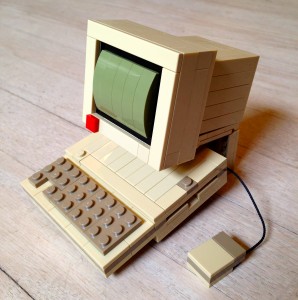
The My First Computer (Two Seeds Edition) [PDF] is a 4-inch-tall Lego model of perhaps the sexiest computer I’ve ever owned, the Apple //c, the first Apple product to feature the Snow White design language created by the famed Frog Design innovation firm. The finished model features the Apple //c main unit, the Apple Monitor //c with stand, and the Apple Mouse //c. There are even cables for the mouse and the CRT. The detail is amazing, really.
The kit was a no-brainer for me. I saw it. I instantly ordered it. I received it. I assembled it. But, I did so on camera! A big part of the fun I’ve had with this kit was recording its construction to share with fellow vintage computing fans out there. And, so, without further ado…enjoy the video.
If you’re an Apple fan, or a Lego fan, or a Commodore fan, or — well, just check out Chris McVeigh’s work. It’s certainly worth a look.
Susan Kare, who designed the icons and fonts for the original Macintosh, also created 32×32 pixel micro-portraits of the Macintosh team, at their request, back in the early ’80s. One team member who definitely did not request a pixel portrait was Steve Jobs, but he got one anyway. I’ve become quite familiar with it, actually, as regular readers may be aware…
Marking the release of the film Jobs, starring Ashton Kutcher (which opened this weekend), Kare recently tweeted a new diptych of her own design showing a 32×32 pixel Kutcher beside the classic Steve Jobs icon. I don’t think I’ll be getting as up close and personal with the Kutch’ icon as I have the Jobs.
I need to catch the film soon, despite what people are saying…
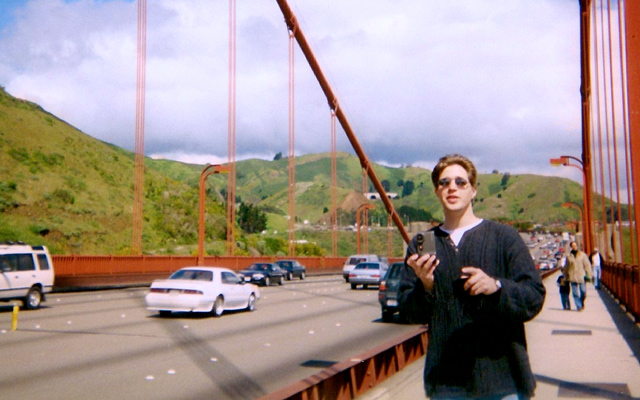
I was recently digging about the storage shelves, looking for an old box of floppies when I came across a large box full of photos that I hadn’t opened since moving into this house ten years ago. I spent an enjoyable hour looking through this trove of photos that spanned a good five years, all at least ten years back down memory lane. One of the earliest photos I found in the mix is of myself standing on the Golden Gate Bridge in San Francisco, holding my first digital camera, the Apple QuickTake 200. This photo was taken in early 1998 — fifteen years ago, at the time of this post.
I used the QuickTake heavily on this first, real trip my wife and I took together, about a year after we met. She brought her film camera along, hence this photo.
The gallery of photos I took on that San Francisco trip with that QuickTake 200 can be seen here.
Another piece of now-vintage hardware I had with me on that trip was my new Newton MessagePad 2000. I did lots of dialing onto the Internet with it from the hotel room, I recall. Good times.
Nearly two years ago I got into mechanical keyboards (real keyboards, proper keyboards) in a pretty big way. In order to truly enjoy the experience of typing on these quality boards, I decided to learn to type “properly,” as opposed to my odd (but fast) most-of-left-hand + one-finger-on-right-hand approach, and made a post about it. Not long at all after that post, I was indeed “typing properly.” It was a lot easier to learn than I imagined it would be.
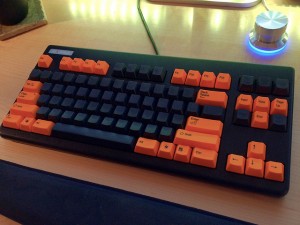
As I mentioned in that post, I had ordered a Realforce 87U keyboard featuring Japanese Topre capacitive keyswitches, and I received it soon after. It is a keyboard that has an exceptional feel that’s pretty hard to describe. (I soon modded it out with a partial set of orange keycaps.) It has been my primary keyboard for most of the time since that post.
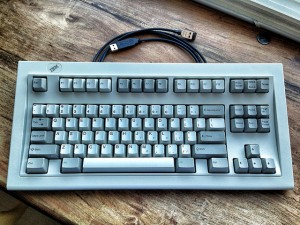
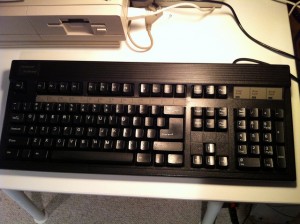
Since then, I’ve also picked up a Unicomp Classic 104 with buckling springs (basically a modern-day IBM Model M), refurbished the old Focus FK-2001 with Alps switches that I used on my 486 NEXTSTEP for Intel box in the early ’90s, stole my keyboard-happy friend Arnold Kim’s Matias Quiet Pro (with Alps-like switches — a nice board, but no superstar) and picked up a genuine IBM Model M Space Saver keyboard (buckling springs) in mint condition, as well (it’s something of a legend in the mechanical keyboard world). All of these are quality keyboards, far surpassing what comes bundled with any PC or Mac you might buy. Still, the Realforce with its lovely Topre switches has remained my favorite.
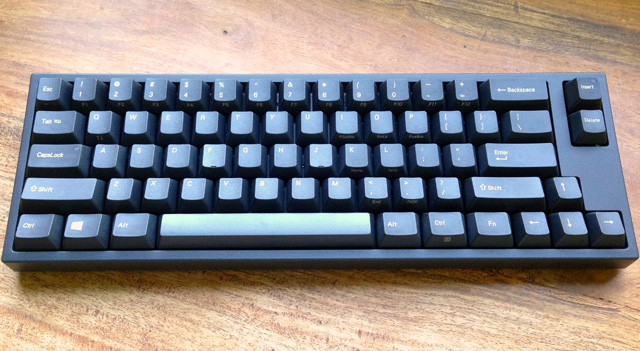
Until recently, there were only two consumer keyboards on the market featuring Topre keyswitches: the Realforce boards and the Happy Hacking Professional keyboards from PFU systems. These are expensive keyboards, make no mistake. About a month ago, however, news landed that Korean keyboard maker Leopold was releasing a Topre-based compact keyboard, model FC660C, at a more affordable — thought still rather high — price-point. It features 66 keys and uses Topre switches and, over at the keyboard forum Geekhack, the race was on for Topre-lovers to get their hands on one of these brand new boards. (And getting one outside of S. Korea is a challenge.)
After watching things at Geekhack for a few days, I saw that LA-based EliteKeyboards.com made a post indicating that they were about to receive a small batch of FC660Cs — 30 or so — with more to come in a month or two. I “kept a close eye” on their website for the new keyboard to appear and, when it did, I quickly ordered one. A few days later and I’m typing on it.
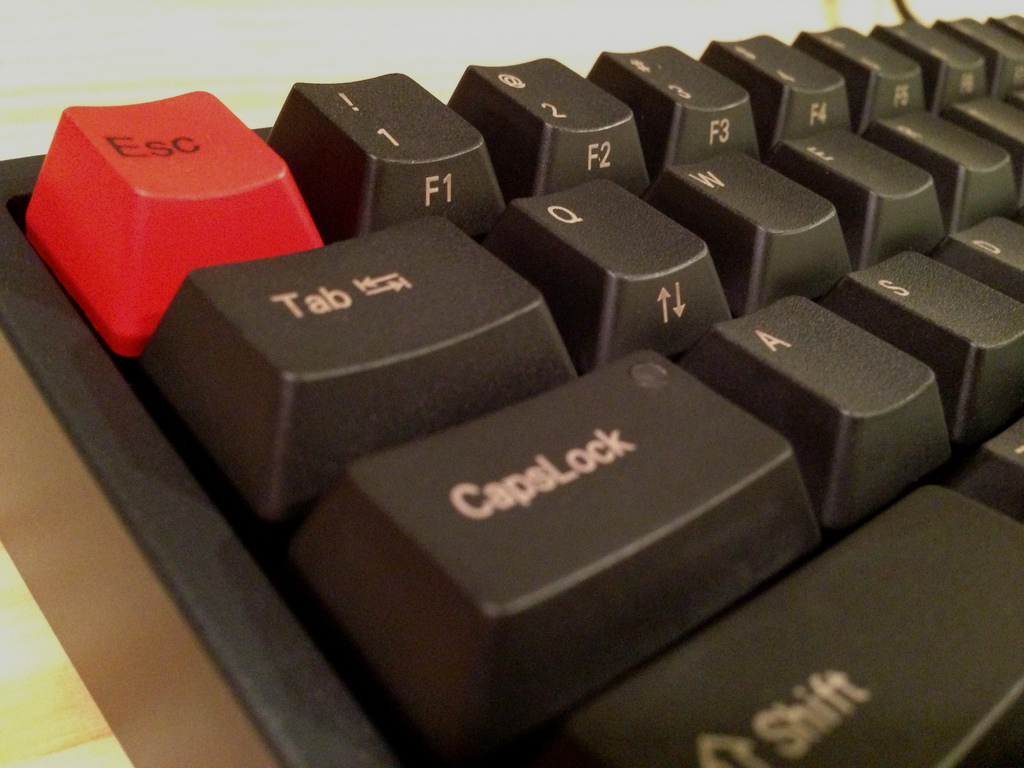
Now, I’ve tried most types of keyswitches out there. Alps, Cherry MX, buckling springs, Topre, scissor switches, typical rubber domes, etc. Of them all, I find Topre switches, which are basically domes of unusual quality combined with a capacitive, low-reisistance spring, the most to my liking. What surprises me, thought, is that I actually prefer the feel of the less expensive Leopold board to that of my Realforce 87U. Topres bottom out with a satisfying “THOCK,” and the Leopold’s “THOCK” is just…a bit more satisfying.
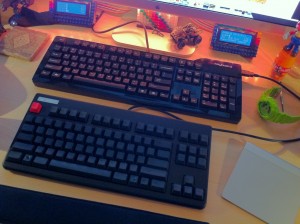
I initially wanted the FC660C to use in the standing-desk setup I’ve got going in the kitchen on the main floor of the house. The Realforce has been living on my iMac in the basement computer room, and I thought that a nice secondary keyboard on the standing-desk would make for a great set of workstations to alternate between in order to mix up the workday. (Also, I wanted both machines to have “tenkeyless” keyboards — those lacking a number pad — as it makes for better / closer trackpad positioning.) Given my unexpected preference for the Leopold, however, I believe it will be taking up residence on my main machine, the basement iMac, while the Realforce moves upstairs to the standing desk.
They’re both exceptional keyboards, but for the money, the Leopold FC660C takes it, I think.
One of the things that creepy keyboard nutballs like myself enjoy doing is listening to the sweet music that is made when these keyboards do their thing. There are lots of videos of mechanical keyboard fans fingering their precious hardware on YouTube. I’ve watched many of them and, given how little time the FC660C has been on the market, I thought I would take the opportunity to make my own typing video for the first time, to help convey the lovely sound that issues forth from this great new keyboard as I type upon it, for those that may be considering the purchase. The sound, to me, is like rain gently falling on a wooden cottage, somewhere deep in the forest. Soothing and, oh, so sweet…
Enjoy the video and, if you haven’t already, I urge you to consider investing in a “real” keyboard of your own.
UPDATE Feb 2014: I picked up a second FC660C for the office in town!