Time Bandit Manual Available As PDF Document

I have scanned the Time Bandit instruction manual at 300 dpi and put the pages together in an eight page PDF document for anyone, like me, who loves the game and would like a digital version of the manual. If any copyright holders take issue with this move, please contact me.

See it here:  http://bytecellar.com/media/Time_Bandit-Manual.pdf

Posted in Multi-Platform | Leave a comment

AmigaOS 4 Reviewed

I got my first Amiga back in October of 1985. As I understand it, it was the first Amiga 1000 sold in the state of Virginia. 4096 colors, 4-channel stereo sampled sound, fast 16/32-bit processor, lightweight UNIX-like OS with preemptive multitasking with a WIMP GUI. It was like something sent back from the future. An amazing machine with an amazing OS.

Sadly, the cult-like passion of its followers could not prevent Commodore from driving the company straight into the ground. C= filed for bankruptcy in 1994. Yet, the Amiga-faithful live on. They can be found in various IRC channels and forums across the web. I frequent Amiga.org, personally. Yes, I’ve still got a few Amigas, even if I am not of the true brotherhood, using an AmigaOS machine as my main day-to-day workhorse.

It’s too long a story to explain what hardware these hardcore users ride. I’ll defer to Wikipedia. Just know that there’s original 68K-based Amiga hardware and then there’s more recent PowerPC-based hardware known as the AmigaOne. Owners of these fairly snappy machines had long waited for the release of AmigaOS v4.0, as they were forced to run Linux in the absence of a version of AmigaOS that supported their machines. An awkward stuation, true. But, after years of anticipation, AmigaOS 4 finally made it out the door on December 24, 2006 and there was much rejoycing across the land. Except that EyeTech, the company that made the AmigaOne, no longer does. It’s a sad story, really.

Those with the hardware, however, are rather happy with this latest, greatly updated release. Have a look at what it’s all about in ArsTechnica’s review of AmigaOS 4 by Jeremy Reimer. (His earlier review of the Micro-AmigaOne and Amiga OS 4 Developer Prerelease can be seen here.) Very interesting reading. I’ll stop with Amiga OS 3.9 on my Amiga 1200 ‘060, I think.

Posted in Amiga | 1 Comment

8-bit Video Game Art Show

What could be finer than an 8-bit video game art show? Little, as can be seen in the pictorial posted at Fort90 of just such a phenomenon. Artistic homages to Pac-Man, Mario, Q*Bert, Dig Dug — the list goes on, can be found within. Oil, water color, sculpture — there’s some truly inspired works on display. The apparently functional, super-sized NES controller is pretty slick, as well.

Not sure which piece is my favorite.

UPDATE: As one of my readers pointed out, a book exists with art from this show, entitled i am 8-bit: Art Inspired by Classic Videogames of the ’80s. Have a look.

Posted in Gaming | 2 Comments

Got My Micro Mate 520 STation for Atari ST!

Back in the fall of 1986 I moved from an Apple IIe to an Atari 520ST. I quite enjoyed that ST. One particularly nice and uncommon thing about my ST setup was the system stand I found and ordered out of STart magazine, or some such. It was a Micro Mate A520 STation. It was a metal enclosure that housed two 3.5″ floppy drives, all system power bricks, and supported a screen. It was raised, so the Atari ST kind of tucked under it, making for a really sharp overall layout. I’ve not reacquired an ST for my own “Byte Cellar,” and swore I never would, unless I could find this excellent and very hard to come by stand.

Well, I found one.

I posted my search for one on Google Answers back in October 2004 and heard nothing – until a couple of weeks ago. Someone came across one of these units and wanted to sell it on eBay, and in doing research on the unit, ran across posts regarding my strong desire for a 520 STation. He e-mailed me with a heads up on the auction and voila! Today, February 13, 2007, I finally got my hands on a STation [pics: 1, 2, 3] (bundled with two Atari SF314 720K floppy drives), having not laid eyes on one in 20 years. Score!

An Atari ST can’t be far behind…

UPDATE [3.18.2007]: Indeed, it was not. I’ve just updated this article to reflect new photos which show the STation filled with a newly acquired Atari 520ST. :-)

Posted in Atari | 3 Comments

Chips & Technologies’ WINGINE Graphics Subsystem

I’ve gone through a lot of computers since I got my first for Christmas in 1982 (age 10). A few were PCs. Of the PCs I’ve owned, one had a particularly interesting feature that I’ll wager no one reading this has ever heard about.

I’d been a NeXT fan since the Cube was announced back in ’88, and long lusted for their hardware. It wasn’t until ’94 that I had the opportunity to buy a NEXTSTEP box. After much research, I went with a 66MHz 486-based PC fabricated by a company out of Alaska called eCesys. The system was all black: black mini-tower case, black keyboard, black 17″ Altima screen – reminiscent of NeXT’s own black hardware. It was a thing of beauty and cost at the time, as I recall, about $4,500. Inside was a JCIS (JC Information Systems Corp.) motherboard featuring ISA, VLB, and a third bus that made it rather unique. Next to the VLB slot was a WINGINE local bus slot.

WINGINE was designed by Chips & Technologies to be an extremely high speed framebuffer requiring motherboard support in the form of a C&T chipset and a proprietary local bus WINGINE slot into which the WINGINE graphics board was inserted. This made the system one of the preferred graphics configurations for NEXTSTEP, as the operating system did not employ any 2D graphics acceleration – all it wanted was an extremely high bandwidth video subsystem. (Graphically intensive NEXTSTEP was the first OS to feature “solid drags” of windows which, at the time, was a rather heavy lift.)

The following is an excerpt from SmartComputing’s Jan. ’93 article, “CHIPS And Technologies’ WINGINE: Giving Windows Horsepower” (via Internet Archive):

A motherboard with the WINGINE chip incorporates the benefits of a local bus with another advantage–video components right on the motherboard. WINGINE Product Manager Carlos Bielicki says, “The main components of a video adapter are the graphics controller and video memory. In the WINGINE system, the ‘graphics controller’ function is carried out by the CPU and WINGINE.” Now the microprocessor has direct access to system memory as well as the video memory–without a trip to the ISA bus.

The WINGINE also utilized expensive, dual-ported VRAM as opposed to cheaper DRAM for optimal speed. I can attest to the performance delivered by the system; that black 486 truly felt like a graphics workstation. An interesting piece of technology history.

UPDATE [Feb 14, 2007]: Scott Cutler, one of the architects of the Wingine and a driver of the program, happened upon this article shortly after it was published, and shared some memories of the technology brought by the Wingine system down in the comments.

UPDATE [May 11, 2020]: I ran across another mention of the Wingine and its level of innovation in digging, online, into some specifics of the VESA Local Bus (though, the Wingine used its own proprietary local bus) in the May 18, 1992 issue of InfoWorld.

…Unfortunately, although motherboard manufacturers have their act reasonably together, graphics board and silicon manufacturers don’t. The reason for this boils down to throughput again. Current generations of graphics silicon were designed to handle only a limited amount of data per second, all piped through the graphics silicon into the graphics display memory. Local bus will require all silicon manufacturers to redesign their architectures so data transfer into graphics memory are unimpeded by wait states of any sort. The result is that transfer rates are maximized. Only Chips & Technologies has implemented this to date in its Wingine product.

Posted in DOS / Win PC, NeXT | 3 Comments

S-Video to RCA Chroma, Luma Cable

This may seem like a somewhat obscure and certainly not very exciting post, but I want it to get into the search engines. One of the nicer non-RGB monitors ever made is the Commodore 1702, released in the early 80s. As expected, it accepts composite input, but it goes well beyond by accepting separate modulated chrominance (color) and luminance (brightness) video inputs over two RCA style inputs. These separate signals provide a much higher fidelity image than a single composite signal, so much so that years later this method of input was given a more convenient, single 4-pin mini-DIN connector and christened S-Video. You’re probably using it in your entertainment center.

So this makes the 1702 a great screen for game systems and other devices that output S-Video, right? You just need a converter cable. Aye, there’s the rub. This is not exactly a standard cable. Sadly, most 1702s and the few other oldschool CRTs that have this dual RCA input scheme lie languishing in attics, closets, or worse. Over the years I’ve fruitlessly searched for such a cable, only to come up empty handed. And while I’ve some rather minor skill with a soldering iron, I was not looking to make my own.

Well, I’m happy to report, I’ve finally found a source for such a cable. Cables N Mor, locted in North Carolina, sells a line of S-Video RCA adapters. I’ve got several on the way, right now. Hopefully anyone out there searching for this elusive cable will find this post.

I will actually be using this cable not with my Commodore 1702, which is dedicated to my C64 setup, but with a Teknika MJ-10 (seen here and here) which features composite as well as chroma, luma inputs and can be read about in this excerpt from the September 1985 issue of Creative Computing magazine. A very nice screen. (I lead off with mention of the 1702 as it is the most well known of the chroma, luma input CRTs.)

Posted in Multi-Platform | 5 Comments

Apple’s Subpixel Font Rendering is Bugged in Mac OS X

On September 20, 2006 I submitted the following Mac OS X bug report to Apple via the ADC Bug Reporter. The bug has to do with OS X’s subpixel font rendering, which is activated if the font smoothing style (in the Appearance prefs pane) is set to “Medium – best for Flat Panel.”

    The ATI X1900 XT video card supports screen rotation in the OS X Displays control panel. A Mac Pro was setup with an X1900, a 30″ Apple Cinema Display, and a rotated Samsung 1600×1200 DVI display.

    See a similar setup:

    http://pix.blakespot.com/view/computers/macpro/IMG_8822.JPG.html

    ‘Font smoothing style’ in the Appearance prefs pane is set to “Medium – best for Flat Panel.” This setting uses subpixeling, providing up to 3x the horizontal resolution of the screen’s native pixel width, etc. (More about sub-pixeling here: http://www.grc.com/cleartype.htm )

    Sub-pixeling depends upon the orientation of the RGB elements of each sub-pixel cluster that makes up a pixel. When a screen is rotated 90-degrees, the RGB “stripes” run horizontal, not vertical. As can be seen from the below images, where the first image (“broken”) shows the rotated Samsung and the second image (“proper”) shows the standard orientation Apple Cinema 30″, OS X’s sub-pixeling does NOT take into account the new orientation of the sub-pixel clusters, resulting in a rather bold and crude rendering of text on the rotated first (“broken”) image:

    http://pix.blakespot.com/view/computers/screenshots/osx_subpixel_bug/broken.jpg.html

    http://pix.blakespot.com/view/computers/screenshots/osx_subpixel_bug/proper.jpg.html

    Apple needs to correct this so that people don’t have to abandon sub-pixeling and use ‘Standard’ (greyscale) anti-aliasing. Microsoft takes sub-pixel cluster orientation into account with Windows Mobile (CE) on the Pocket PC’s. Surely Apple can get this working with rotated screens under OS X.

    Thanks. I’ve encountered, so far, one other user complaining about this issue.

I just checked the status of the big report (Problem ID 4740732, for any Mac OS X core developers at Apple reading this) and I find it’s still “Open,” which means it’s unlikely to be addressed in Leopard – the initial release, anyway. Even just the option of selecting a different font smoothing method for each screen would be a win, here.

Apple, please address this.

Posted in Macintosh | 13 Comments

My Media PC Gives Up the Ghost

So my media PC died. The core of my entertainment center is a Shuttle XPC i8600 (3.2GHz P4 HT) running Meedio under Windows XP. It’s great. It’s my main DVD player and it lets me sit on the couch with my IR remote and browse ripped DVDs and HD streams and watch them with ease, all amid surround sound goodness. Well, it did, until it died.

It seemed it had to be either the motherboard, the memory, or the CPU. I pulled each of the two DIMMs that make up its 1GB of RAM in turn and the unit still wouldn’t work. I gambled that the motheboard was the cause and ordered a replacement from Shuttle ($138 + shipping). Got up at 4:30 this morning and started breaking down the system to do the swap. The end result? Up and running once more. The culprit? Have a look – two bulged capacitors and a smoked IC. A sad way to go….

More pics of the swap process can be found here, for those interested.

As a footnote, sadly Yahoo! bought Meedio and dumbed it down and turned it into Yahoo! Go for TV. Grumble.

UPDATE: The replacement motherboard died, as well, just a few months later! Oddly I decided to roll the dice once more and buy yet another replacement motherboard from Shuttle. When it arrived, I found additional heatsinks on various components in the vicinity of the failure and a different capacitor arrangement. It’s been running fine for some time since, though it’s now in use as an XP / Windows 7 machine in the basement computer room, running primarily as as retro emulation machine.

Posted in Windows | 1 Comment

Live Action Hamster Video Game

I was searching for GP2X videos on YouTube and came across a great little piece. The Live Action Hamster Video Game. If anyone knows the platform, please let me know. (It looks like a Spectrum to me!)

Posted in Other Platform | Leave a comment

My Trip to Macworld San Francisco 2007

So, I’m back from Macworld. And quite an experience it was! I’ve attended PC Expo in New York twice and regularly attend the DC FOSE convention, but Macworld was an event particularly catered to my Apple-centric interests.

The first bit of fun once we arrived in San Francisco on Monday was renting a car and driving down to Cupertino to visit Apple headquarters, a pilgrimage to Mecca I’d not yet undertaken. It was great – larger than life, really. After all these years (I got my first Apple in 1984), to finally visit the Mothership, so to speak. I got a little carried away at the The Company Store, I’m afraid. But when will I be there next?

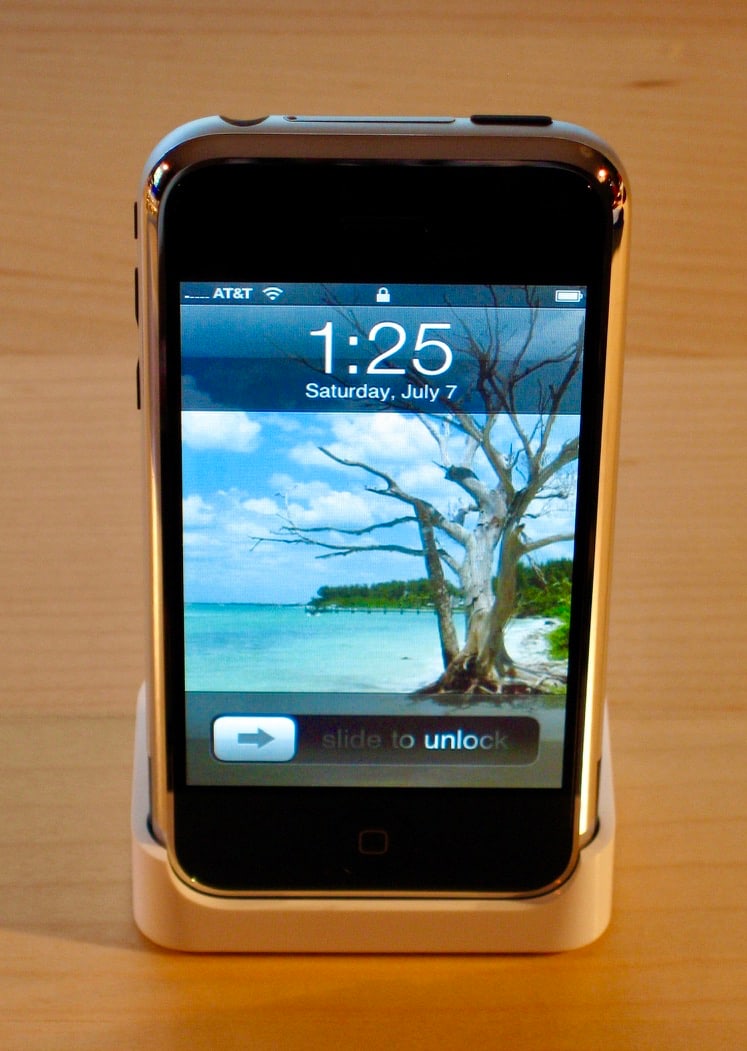
Tuesday began with the 4:30am alarm sounding in time to get us in line at Moscone West by 5:30am. After a few hours of standing around (thank god they erected a coffee and pastry stand where we were waiting) in the Priority Keynote seating line – tix courtesy of MacRumors which I was helping with live Keynote coverage (which went beautifully), the doors opened and we headed upstairs and grabbed our seats. Seeing Steve Jobs on stage delivering his Keynote address was quite a thrill, but of course, the best part was being blown away by the far-beyond-expectations iPhone. It’s going to be a painful wait.

The rest of the trip, which for me was just that afternoon and the next morning (thanks to baby Rory), was a busy jumble of walking the Expo floor looking at the endless rows of Apple-oriented displays, putting faces with online identities I’ve known, dinners with prominent web folks (two words: Kobe beef), running around San Francisco, and not so much sleeping. I was sad to have to finally depart. It was a memorable experience I am going to try my hardest to repeat next year, or if not then, soon.

Posted in Just Rambling | 2 Comments