

Lately I’ve been spending time on Mastodon for … reasons. Here’s my link: https://oldbytes.space/@blakespot. In my recently active time on the platform, I have found quite a few excellent retrocomputing-related posts by creative members of the community. One such post, by Dougall, links to his blog post entitled “Why is Rosetta 2 fast?“.
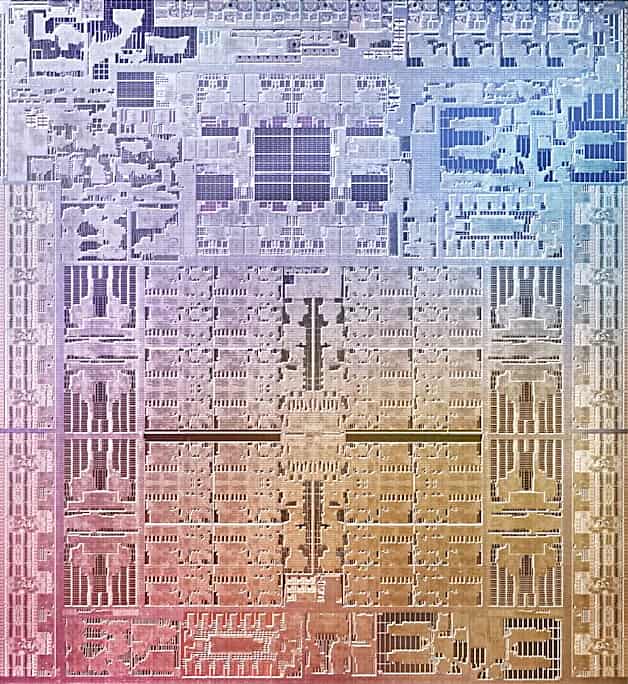
Rosetta 2 is the ahead-of-time compile translator that’s part of macOS Big Sur (and later) that, upon launch of an x64 Intel binary, translates it to 64-bit ARM code for execution on ARM-based Apple Silicon processors before execution. It is not a real-time emulator. It translates the entire binary — once — at launch time, making best-guess choices along the way. Dougall delves into various aspects of Rosetta 2 in an effort to explain why it is so performant; in many instances the translated binary runs faster on Apple Silicon than on the fastest Intel machines that Apple has ever released. It’s impressive.
It’s a fascinating read for a tech nerd like me that has a particular interest in OS technology. But one detail of the post really grabbed my attention.
Apple’s secret extension
There are only a handful of different instructions that account for 90% of all operations executed, and, near the top of that list are addition and subtraction. On ARM these can optionally set the four-bit NZVC register, whereas on x86 these always set six flag bits: CF, ZF, SF and OF (which correspond well-enough to NZVC), as well as PF (the parity flag) and AF (the adjust flag).
Emulating the last two in software is possible (and seems to be supported by Rosetta 2 for Linux), but can be rather expensive. Most software won’t notice if you get these wrong, but some software will. The Apple M1 has an undocumented extension that, when enabled, ensures instructions like ADDS, SUBS and CMP compute PF and AF and store them as bits 26 and 27 of NZCV respectively, providing accurate emulation with no performance penalty.
Intrigued by mention of this “secret extension,” I reached out to the author and asked if he could expand on what Apple has done here. And, he obliged. As he explained in his multi-part Mastodon response:
So, both the “adjust flag” (AF) and the “parity flag” (PF) come from the 8080-family CPUs from the 1970s. Today they’re almost completely unused. The parity flag is set if, in the last eight bits of the result, the number of set-bits is odd. Otherwise, it’s cleared. The adjust flag is set if there’s a “carry out” from the low four-bits of the addition (and otherwise cleared). This was used for binary-coded decimal – that flag would indicate a carry from one 4-bit digit to the next.
Both these flags are computed on every ADD or SUB instruction (extremely often), and 64-bit ARM has no such functionality. For example, to compute the parity flag on ARM, a subtraction turns into something like:
subs w4, w4, w5
dup v24.16b, w4
cnt v23.16b, v24.16b
umov w22, v24.b[0]
and w22, w22, #1
That’s a lot of work for one subtraction (5x as many instructions), and that’s not all of it – we didn’t compute AF.
But it’s not really a lot of work for Intel – in every x86 CPU, they just build some logic that computes both AF and PF at the same time as doing the subtraction. So, since Apple design their own CPUs, they decided to also build this logic. When running Rosetta 2, the CPU is configured to enable this functionality (since it’d break the ARM specification to have it enabled all the time). With that set Rosetta 2 does:
subs w4, w4, w5
And both flags are computed for it by the hardware.
Rosetta 2 can also run in Linux VMs on Apple Silicon. In a VM, it isn’t able to configured the host CPU, so it can’t use this functionality. There are two other options. Either, you can skip computing the flags, because they’re mostly useless and most software won’t care. Or you can compute them the long way shown above. Rosetta 2 chooses the second option, and this mostly works out fine, because they have an “unused flags” optimisation that avoids the computation a lot of the time.
This fascinated me. While few modern applications likely read these AF and PF bits, Apple — who make their own CPUs and can control the entire process — put in place a hardware step to increase performance when running translated x64 code on their own processors. I love it. Apple’s move here demonstrates the benefits of their position in controlling all aspects of the systems. A generic Snapdragon ARM SoC, say, would deliver notably less performance in this specific scenario — getting non-native apps running solid and fast during this transition period — that is critically important to Mac users.
I relish such minor details as this in the engineering of next generation hardware and wanted to share them with readers who might find a similar appreciation. It puts me in mind of some of the very use-case-specific innovations needed by Microsoft — but not Sony (and vice versa) — in the fascinating tale of the joint creation of the common PowerPC core used in the Sony PS3 and the Xbox 360 as told in Shippy & Phipps’ excellent book, The Race for a New Game Machine: Creating the Chips Inside the XBox 360 and the Playstation 3.
Dougall Johnson, who provided this insight into the M1 and family, is driving an effort to reverse engineer and document the Apple G13 GPU architecture (used by the M1) as well as to document the Apple Firestorm/Icestorm CPU microarchitecture. His work towards these ends can be found on GitHub at these respective links: Apple GPU, Apple CPU.
Performant is not a word.
https://dictionary.cambridge.org/us/dictionary/english/performant It sure seems like Cambridge disagrees with you.
Was that as embarrassing as it looked?
How is it possible to be such an idiot.
“Performant” is a secret language extension to accommodate an English Artifact. :-)
You got the Nazi part right
Pingback: Apple Silicon Supports 48-Year-Old Intel 8080 via Secret Extension - Tom's Hardware
Pingback: Apple Silicon, Gizli Uzantı Yoluyla 48 Yıllık Intel 8080'i Destekliyor - Dünyadan Güncel Teknoloji Haberleri | Teknomers
Pingback: 2022 - Apple Silicon unterstützt 48 Jahre alten Intel 8080 über Secret Extension - News Text Area
Pingback: Tech roundup 168: a journal published by a bot - Javi López G.
Pingback: Links 21/11/2022: pgAdmin 4 v6.16 Released and FSFE Exposed | Techrights
Just another example of the advantage Apple is able to wield by owning the whole stack. The M platform has a 3+ year lead on all other CPU manufacturers and it is quite astounding how Apple shunted away from Intel’s incompetence and implement an unrivaled CPU solution.
Pingback: Apple Silicon Supports 48-Year-Old Intel 8080 via Secret Extension - Techdigipro
Thanks for sharing this insightful article. Really helpful!
pal breeding power
StarByFace is an independent free celebrity lookalike finder that compares photos locally in the browser, shows five matches, and creates shareable cards without uploading photos.
Fascinating deep dive — the AF and PF flags outliving their 8080 origins and quietly shaping Apple Silicon is exactly the kind of hidden-optimization story I love. Hardware doing in one cycle what software would pay 5x for is elegant engineering. I get the same satisfaction from tools that disappear into a workflow instead of interrupting it. Lately I’ve been this tool
Ray 3.2 AI is a browser‑accessible cloud AI video tool for creators. It delivers frame‑level keyframe control, covering text‑to‑video, image‑to‑video, video remastering and reframing. It tracks multiple characters stably and exports 16‑bit HDR EXR files for tools like DaVinci Resolve. It works well for storyboard previews, ad drafts and game clip production
I see a parallel in video production workflows when dealing with transparency. So many tools strip or poorly simulate transparency, forcing clumsy workarounds. If you need clean, true transparency, export alpha solves this natively by generating video with an authentic alpha channel directly in the browser—delivering transparent VP9 WebM for OBS/web or ProRes 4444 MOV for pro editing suites without the typical friction.
Fascinating perspective on A Secret Apple Silicon Extension to Accommodate an Intel 8080 Artifact. The detailed discussion and structured examples give a very helpful real-world reference.
This is a really insightful write-up on A Secret Apple Silicon Extension to Accommodate an Intel 8080 Artifact. The structured perspective and nuanced examples make this exceptionally practical.
GPT Image 2.5 is a powerful visual tool built for creators. As an AI image generator for creators, it turns creative concepts into ready-to-use visuals in minutes.
It works great as an AI image tool for product photos, helping you generate clean product shots without complex studio setups. It also serves as an AI image editor for marketing visuals, letting you tweak colors, composition and styles for campaign assets.
For content creators, it’s a handy AI tool for social media images, producing eye-catching graphics for posts and ads. It also acts as an AI image maker for design ideas, letting designers quickly draft concept sketches. Whether you need product shots, marketing banners or social graphics, it streamlines the whole creative workflow and cuts down hours of manual editing, so you can focus more on your ideas.
The unused-flags optimization makes this example especially interesting: compatibility still has to be preserved even when most programs never inspect those bits. For creative software, that distinction matters because a fast migration is only useful if an existing project still produces the expected result.
The example of rarely used flags is a reminder that edge cases can determine whether older software remains usable. For game guides and preservation notes, recording the runtime environment and compatibility limits seems just as valuable as listing a nominally supported platform.
The hardware-versus-software comparison makes the compatibility cost much easier to understand than a broad claim that translation is fast. When documenting a game setup, distinguishing native execution from a compatibility layer can help readers reproduce the same conditions instead of relying on a platform label alone.
Great piece — the M1 hidden tweaks for legacy emulation are wild. Same idea, different domain: Bernini Video runs AI video editing entirely on Apple Silicon with no cloud. Neat to see these chip-specific tricks actually documented.
The flags example gives the compatibility discussion a concrete scale: a small architectural detail can survive far beyond the software that first motivated it. Separating the historical reason for the flags from their role in translated code makes this a particularly interesting retrocomputing story.
Following the link from a present-day compatibility question back to an older instruction-set detail is a strong way to tell this story. A small side-by-side table of the flag names would make the quoted explanation easier to follow for readers whose background is mainly in one architecture.
The distinction between the four ARM flags and the two extra x86 flags makes the compatibility issue much easier to grasp. It is striking that a detail inherited from an older instruction set can still influence the cost of translating modern binaries.
The comparison of the two architectures’ flag registers makes the compatibility issue much more concrete. A small worked addition example showing where PF and AF differ from the ARM flags would make a helpful companion to the historical explanation.
The quoted comparison of ARM’s NZVC bits with x86’s PF and AF gives a concrete reason why translation involves more than swapping instruction names. A small side-by-side flag table would make that passage easier to follow before the article moves into the historical connection.
The link to Dougall’s original post is useful because it separates the detailed investigation from your own retrocomputing perspective. A brief note identifying which parts are quoted findings and which are historical interpretation would make that distinction even clearer for readers following the trail of sources.
The detail about Apple adding hardware support for the x86 parity and adjust flags is a great example of how tightly coordinated CPU and software design can preserve compatibility without paying a runtime cost. It also makes the 8080 lineage behind those flags surprisingly tangible. For readers who enjoy collecting visual references and creative ideas around vintage computing and hardware design, https://pinterest.com/ may be a useful place to explore.
Love this kind of deep-dive — the hidden NZVC flag bits Apple baked in for Rosetta 2’s 8080 emulation is exactly the kind of micro-optimization that makes the M-series fun to reverse. Same energy of squeezing local inference out of these chips shows up in modern WebGPU pipelines too. Quick plug for a browser-side tool that does something similar for blurry photos: Unblur Image.
The Rosetta 2 details are fascinating. I’ve been using PicTranslate to archive my old documentation snippets, which helped me understand these legacy x86 instructions better.
Wild that Apple quietly kept 8080 flag semantics alive in M1 silicon just for those Rosetta corner cases. Love these little forensic dives — same energy as when I run old demo footage through video2x to bring vintage recordings back into shape. Thanks for digging this one up.
Cool deep-dive on the hidden Apple Silicon extension. I had no idea Rosetta was quietly carrying leftover 8080 flag semantics for those rare BCD-era programs. Posts like this keep reminding me how much weird history lives inside modern silicon. By the way, if you ever work with audio recordings (interviews, music demos, etc.), Audio Enhancer Ai cleans them up surprisingly well.
Fascinating detective work on a hidden microarchitectural feature like that — wild that Apple baked quiet 8080-era BCD flag support straight into the silicon just to keep Rosetta clean. The kind of chip-specific magic that only happens when emulation has to look almost native. There’s a similar philosophy in Bernini AI — letting a model plan composition before it renders, instead of bolting that step on after.
The hardware-level attention to detail here is remarkable — baking 8080-era AF and PF flag support into the M1 so Rosetta 2 can run a single SUBS instead of five extra instructions shows the payoff of controlling both silicon and software. It’s also a good reminder that the best translation tools preserve invisible details faithfully, whether translating x86 to ARM or turning an image to editable format without losing structure. Great find and a very clear write-up.
The undocumented M1 extension that computes the x86 parity and adjust flags in hardware is a brilliant detail — it shows just how far Apple’s vertical integration goes in making Rosetta 2 fast. The 5x instruction expansion needed to emulate those flags in software really drives home the value of silicon-level support here. Stories like this make me want to sketch out the whole flag-computation flow for a study note; a mermaid diagram is handy for visualizing instruction pipelines and branch logic like that.
Neat deep dive into the hidden ADDS/SUBS/CMP PF/AF write-back — it’s wild how Apple kept such niche 8080 BCD paths alive for Rosetta 2. If you ever need to clean up a blurry screen recording of an old 8080 emulator session, give Unblur Video a try.
The Rosetta 2 deep dive here is genuinely fascinating, especially the part about Apple’s undocumented M1 extension for computing the parity and adjust flags in hardware. That kind of low-level detail rarely makes it into public write-ups, and the explanation of how AF and PF trace back to 8080-family CPUs really connects the dots. I’ve read a fair amount about Rosetta 2’s ahead-of-time translation, but the bit about `subs w4, w4, w5` doing in one instruction what would otherwise take five on ARM is the kind of thing that makes you appreciate how much custom silicon Apple is willing to throw at compatibility. The Mastodon follow-up from Dougall adds real depth too. It’s a nice reminder that “just emulate it in software” is often a performance trap, and that hardware vendors sometimes quietly patch around legacy quirks. I also appreciated the note about Linux VMs losing access to this extension, since that’s an easy detail to overlook. Stories like this make retrocomputing and modern chip design feel less like separate worlds. I’ve been tinkering with step-by-step visual math solver lately, and it scratches a similar itch for understanding what’s happening under the hood.
AI face swap video The detail about Apple silently adding AF and PF flag computation for Rosetta 2 really stuck with me—designing custom silicon to handle 8080-era artifacts just to keep x86 translation fast is the kind of obsessive hardware-software integration that makes Apple Silicon so interesting. It reminds me how much invisible engineering goes into things we take for granted, like how Bulin 47 AI swaps a single photo into the full Kevin Wai freestyle with every gesture and the original audio intact—no prompts, no templates, just a clean 9:16 MP4 out the other side.
Very helpful and easy to follow. We also build in this space at https://facelessreels.si/.